Soundtrap: Music Making Studio
- 4.0
- Rating
- 1.00M
- Installs
- Free
- Price

 Analysis by App-foxy
I approached Soundtrap: Music Making Studio as a practical mobile workspace rather than a replacement for every desktop recording program. Developed by Soundtrap, this free Music & Audio app is aimed at people who want to create songs, record ideas, and work with other musicians without keeping a full studio setup nearby. After spending time with its workflow, I found the biggest appeal is not simply that it can make music on a phone. It is that it encourages you to capture an idea quickly and keep the project moving.
That convenience comes with a learning curve. The app is approachable when I use it for a short vocal, a beat sketch, or a collaborative draft, but it becomes more demanding when I try to manage a crowded arrangement or make detailed edits on a small screen. My overall impression is positive, especially for beginners, students, casual creators, and musicians who need a portable place to build ideas. More experienced producers may appreciate its speed, but they should understand where a mobile, collaboration-focused workflow starts to feel less precise than a traditional digital audio workstation.
How I built a reliable workflow in Soundtrap
I organize this section around the small habits that make a mobile recording session dependable, from choosing one clear task to leaving a useful next step for later. A steady process also makes it easier to tell ordinary setup friction from a problem that needs a different fix.
You May Also Like

 Blood Strike: 2.5 Anniversary
Blood Strike’s Loadouts Turn Every Drop Into a Tactical Gamble
A close look at Blood Strike’s custom loadouts: how fast access to signature weapons reshapes its battle royale rhythm, rewards preparation, and narrows the gap between fights.

 Pandora - Music & Podcasts
Pandora’s Music Is Easy to Start, but Harder to Recover
Pandora’s strength is its low-effort path from a seed to a station. Its weak spot is how much confidence it asks you to place in connection, setup, and quiet recovery.

 8 Ball Pool
 Is Built on Rivalries, Rematches, and Routine
A close look at the rivalries, rematches, shared routines, and unanswered safety questions that turn a quick pool match into a persistent mobile community.

 Samsung Music
’s Quiet Strength Is Playing What You Already Own
Its reach comes less from spectacle than from dependable access to a personal library. That simplicity is both the app’s strongest retention engine and its ceiling.

 AccuWeather: Weather Radar
AccuWeather Review: A Quick, Clear Forecast for Everyday Decisions
For everyday plans, the best forecast is the one you can understand quickly. AccuWeather makes rain timing, radar, and local conditions easy to act on, with a few trade-offs.

 Hill Climb Racing
Why Hill Climb Racing Still Turns Crashes Into One More Run
A tiny car, a bumpy hill and one more upgrade: Hill Climb Racing keeps resurfacing because its simple chaos makes every near-miss feel personal.
More From Our News Desk



Starting with a project instead of chasing perfection
My most productive sessions began with a narrow goal. I would open a project, decide whether I was recording an instrument, laying down a vocal, or arranging a rough song, and then work on that one task before touching anything decorative. This matters because a music-making app can make experimentation feel endless. Soundtrap is most useful when I treat the first pass as a sketch rather than a final production.
A simple starting routine is to create the basic musical idea, add a second part that supports it, and listen back before adding more tracks. That approach makes it easier to notice whether the song actually works. If the rhythm is weak or the vocal sits awkwardly, extra layers only hide the problem. I found that keeping early projects sparse also made collaboration easier because another person could immediately understand what still needed attention.
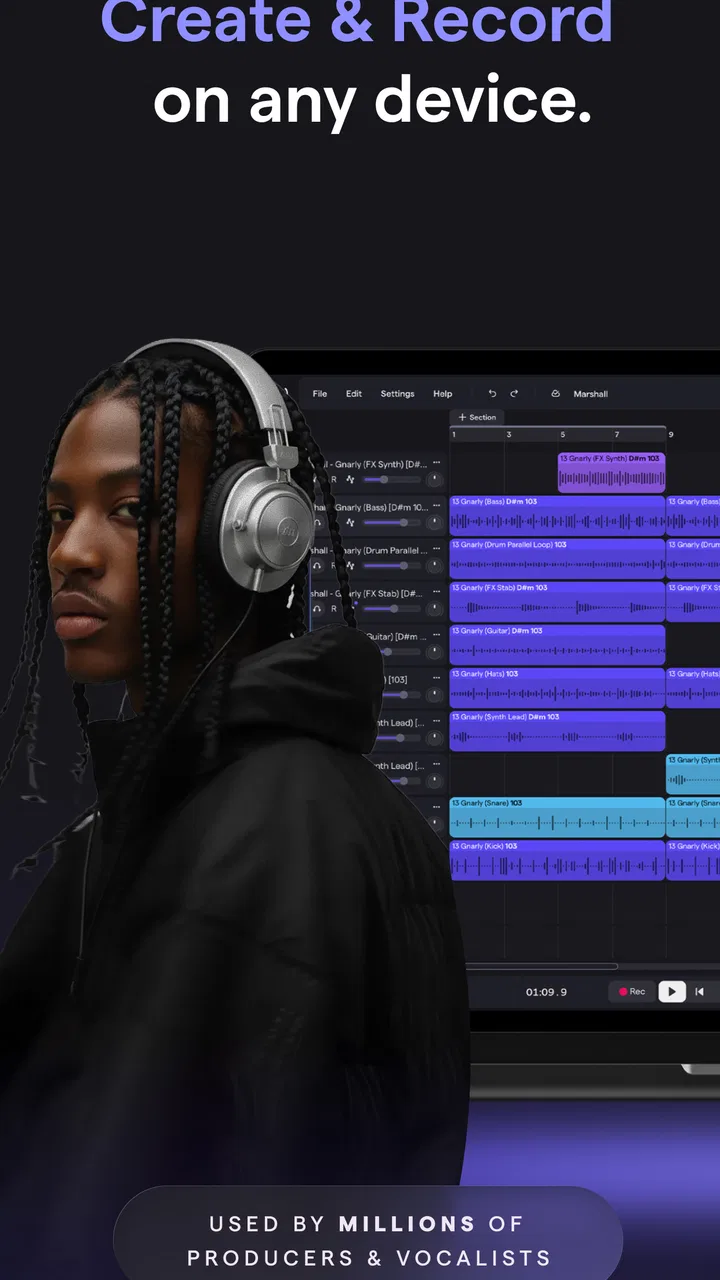
The app’s store summary describes creating, recording, and collaborating, and those three activities do feel connected in practice. I can move from an idea to a rough arrangement without changing tools, then use the same project as a handoff point. That is particularly useful for a songwriter who starts with a voice memo, a beat maker who wants to add a topline later, or a small group working remotely on the same concept.
A realistic everyday session
Imagine I have a melody during a commute but only a short break to develop it. I can record the central vocal idea, add a basic rhythmic foundation, and leave space for a later bass or harmony part. The important habit is to name the purpose of the recording mentally: this is a chorus idea, a verse rhythm, or a backing pattern. I do not try to mix it perfectly in that moment.
Later, I can return with headphones and decide whether the original performance is worth keeping. This two-stage process is more effective than trying to compose, edit, mix, and polish at once on a phone. Soundtrap works well as the bridge between inspiration and a more organized arrangement. It is less convincing when I expect the first mobile session to produce a finished master immediately.
Why track discipline matters on a small screen
On a desktop, a messy project can remain manageable because there is more room to see tracks and controls. On a phone or compact tablet, clutter becomes a practical obstacle. I recommend giving each track a clear role and avoiding several nearly identical recordings unless they serve a specific purpose. A clean arrangement reduces scrolling and makes it easier to identify the part that needs attention.
I also prefer recording a complete idea before making many tiny edits. Frequent interruptions can make a performance feel unnatural, while a full take gives me something musical to judge. When I do need alternatives, I keep them purposeful: one take for timing, one for expression, or one with a different vocal approach. This is a small habit, but it prevents the project from becoming a pile of guesses.
Collaboration that actually helps
Collaboration is strongest when each person has a defined contribution. Instead of asking another musician to “make it better,” I would ask for a harmony, a bass response, a different drum feel, or a cleaner lyric delivery. Specific requests reduce confusion and make the shared project easier to evaluate.
I would also agree on a stopping point before inviting feedback. A collaborator can comment on a rough structure, but feedback on an unfinished rhythm and feedback on a nearly complete arrangement are different things. Soundtrap is a good fit for exchanging ideas, yet the social convenience does not remove the need for musical communication. Clear roles and short notes make the collaboration feel intentional rather than chaotic.
Settings I check before recording
Before recording anything important, I check the input source, monitoring behavior, and the general recording environment. These are not glamorous steps, but they prevent the most frustrating mistakes. I want to know that the app is listening to the microphone I expect, that I can hear the backing track without creating distracting feedback, and that the room is quiet enough for the part I am about to capture.
Headphones are usually the safer choice for recording vocals or acoustic instruments alongside existing tracks. If the backing sound comes through speakers, the microphone may capture it again, making the take harder to clean up. I also keep the phone stable and avoid touching the device during the performance. Small handling noises can be more noticeable than expected once the recording is played back at a higher volume.
The most valuable setting is the one that prevents a bad take before it happens. I would rather spend a minute checking the recording path than discover afterward that the wrong source was active or that monitoring made the performance uncomfortable. This is especially important for beginners, who may assume a recording failed because of their singing when the real problem was setup.
Listening conditions change the decisions
I try not to judge a mix only through the phone’s built-in speaker. It is useful for checking whether the main idea remains clear, but it does not tell me everything about balance, low frequencies, or vocal detail. Headphones reveal editing noises and timing problems more clearly, while another ordinary listening system helps me notice whether the arrangement still makes sense away from the screen.
My practical rule is to make a small change, listen at a comfortable level, and then return to the full arrangement. Constantly listening loudly can make a track seem more exciting than it really is and can lead to overly aggressive decisions. Soundtrap makes experimentation easy, but the responsibility for judging those experiments still belongs to the user.
Repeatable habits that make the app faster
Experienced use is less about discovering a secret button and more about repeating a sensible sequence. I begin with the musical center, add only the supporting parts I can justify, and listen back before editing. I keep the arrangement readable, record with headphones when appropriate, and save detailed polishing for after the song’s structure feels stable.
Another useful habit is to separate creative and technical passes. In the creative pass, I choose the melody, rhythm, lyrics, and overall shape. In the technical pass, I deal with timing, unwanted noise, levels, and effects. Mixing those mindsets too early can slow me down because every creative decision starts to feel permanent.
For short sessions, I leave myself a clear next action. It might be “record the second verse,” “replace the weak chorus take,” or “check the vocal against the drums.” This is more useful than simply reopening the project and wondering what to do. A mobile studio becomes much more productive when every session ends with a small, concrete plan.
Where it compares well with usual alternatives
Compared with a basic voice recorder, Soundtrap offers a much more musical environment because an idea can grow into an arrangement instead of remaining a single file. Compared with a traditional desktop DAW, it feels less intimidating and more convenient for quick collaboration, but the smaller interface can make detailed editing slower. Compared with a simple loop-based tool, it is better suited to combining recorded performances with arranged parts, although users who only want instant beat construction may prefer a more specialized option.
The choice depends on the center of your work. If I am writing lyrics, recording a rough guitar part, and asking someone else to add a response, this app is a natural fit. If I am doing highly precise sound design, complex routing, or an extended mix with many fine adjustments, I would rather use a full desktop environment. Soundtrap’s strength is the complete idea-to-draft path, not unlimited control over every technical detail.
Limits I noticed when projects become ambitious
The first limitation is screen space. Moving between tracks, editing small sections, and checking several layers can feel cramped, particularly on a phone. Touch controls are convenient for broad changes, but they are not always the best way to perform delicate timing work. I can work around this by zooming carefully, keeping projects organized, and doing precision tasks in short sessions, yet the friction remains.
The second limitation is that convenience can encourage unfinished arrangements. Because adding another sound is easy, I sometimes had to ask whether a new part improved the song or merely made the project busier. The app does not solve arrangement decisions for me. A disciplined ear is still more important than the number of available creative choices.
The third limitation concerns expectations around final production. A polished result depends on recording quality, performance, arrangement, monitoring, and mixing choices. The app can support those stages, but it cannot make a noisy room quiet or turn an uncertain performance into a convincing one. Anyone expecting automatic professional results may be disappointed.
Who should use it and who should skip it
I would recommend Soundtrap to a beginner who wants to learn the relationship between tracks, recording, and arrangement without immediately facing the full complexity of a desktop studio. It is also appealing to teachers, student groups, songwriters, and friends who need a shared creative workspace. Musicians who often get ideas away from home can use it as a practical place to turn fragments into something more complete.
I would be more cautious about recommending it to a producer whose main priority is microscopic editing, advanced studio routing, or a highly specialized mixing workflow. That user may find the mobile interface slows down work that would be faster with a keyboard, mouse, larger display, and more dedicated production controls. It is also not the best choice for someone who dislikes collaboration features and only wants a minimal recorder.
Cost, audience, and what to expect
The app is free to install and is rated for Everyone, which makes it easy to try without committing money at the start. It has been available since June 23, 2016, and its reach is reflected in more than a million installs, alongside an average rating of 4.0 from roughly nineteen thousand ratings. That combination suggests a well-established app with broad appeal, while also reminding me that a four-point average is not the same as universal satisfaction.
There are in-app purchases ranging from $4.99 to $199.08 per item. I would approach those options carefully and first decide whether the free workflow suits my needs. The important question is not whether additional access sounds attractive, but whether it solves a real limitation in my own projects. A beginner should spend time learning the basic recording and arrangement process before considering optional purchases.
My verdict after using its full workflow
Soundtrap: Music Making Studio succeeds because it lowers the distance between having an idea and doing something with it. I like it most when I use it as a structured sketchbook: record the central part, build a modest arrangement, invite a focused contribution, and return later for cleanup. That workflow feels realistic, repeatable, and much more productive than trying to make every session a final mix.
Its weaknesses are equally clear. Mobile editing can become cramped, ambitious projects demand organization, and the app cannot replace careful recording or musical judgment. Those are meaningful trade-offs, not reasons to dismiss it. They simply define the kind of creator who will get the most from it.
My recommendation is straightforward: try it if you want an accessible way to record, arrange, and collaborate, especially when your music-making happens in short sessions or across different locations. Keep your projects tidy, check the recording setup before each important take, and resist adding layers without a reason. With those habits, Soundtrap becomes more than a quick music app; it becomes a dependable place to develop ideas. If your goal is deep studio control above all else, choose a larger production environment instead. For portable songwriting and shared drafts, though, I think it is a genuinely useful choice.
FAQs for Soundtrap: Music Making Studio
01What is Soundtrap: Music Making Studio used for?
Soundtrap is a cloud-based music creation studio for making songs, beats, podcasts, and other audio projects. After exploring the app, I found that it combines recording, virtual instruments, loops, effects, and collaborative tools in one workspace. It is designed for beginners, students, singers, beatmakers, and more experienced creators who want to work on projects from different devices.
02Can I record vocals and instruments with Soundtrap?
Yes, Soundtrap lets you record vocals, instruments, and other sounds using a compatible microphone or your device’s built-in microphone. You can create separate tracks, adjust volume, trim recordings, and apply effects such as reverb or equalization. However, recording quality depends heavily on your microphone, headphones, room acoustics, and device performance, so professional results may require additional equipment.
03Does Soundtrap support collaboration with other musicians?
Collaboration is one of Soundtrap’s main advantages. You can invite other people to work on the same project, allowing contributors to record tracks, edit arrangements, add loops, and exchange ideas remotely. This makes it useful for bands, music classes, producers, and podcast teams. A stable internet connection is recommended, especially when several users are working on larger projects.
04Is Soundtrap free to download and use?
Soundtrap can generally be downloaded and started without paying, but access to features, sounds, instruments, and publishing options may depend on the account or subscription plan available in your region. The free experience is useful for testing the workflow and creating basic projects, while some advanced content requires a paid membership. Check the current in-app pricing before subscribing.
05Can I use Soundtrap projects on Android, iPhone, and other devices?
Soundtrap is built around online project storage, making it possible to continue working across supported devices and platforms when you sign in to the same account. This is convenient if you begin an idea on a phone and later edit it on a computer. Keep in mind that the interface and available tools may differ between mobile and desktop versions, and offline access can be limited.
Pros
- Cloud-based projects are accessible across supported devices.
- Real-time collaboration makes remote music sessions easy.
- Includes loops
- samples
- and instruments for quick experimentation.
- Voice recording and podcast tools are built into the same workspace.
- Automatic saving helps protect ongoing creative work.
Cons
- Many advanced sounds and features require a paid subscription.
- A stable internet connection is important for the smoothest experience.
- The mobile interface can feel cramped during detailed editing.
- Large projects may take time to load or sync between devices.
- Export and mixing options are less extensive than in professional DAWs.

Soundtrap: Music Making Studio
Gallery